Git for Beginners: Basics and Essential Commands
What is Git?
Git is a distributed version control system. It is designed to efficiently manage and track changes in source code during the software development process.
Why git is used?
Git is used to solve multiple problems of software development lifecycle
Track & Manage changes in source code
Collaboration between developers/stakeholders
Branching & Merging of source code.
Distributed Architecture
Git Basics & Core Terminologies
Git is widely used Version Control System which help tracking the code changes. It acts like a “time machine” for source code.
The following are the core terminologies for Git
Repo/Repository - a repository is the main project folder that Git tracks. It contains all project files and the complete version history.
Working Directory - The local directory on your computer where you will changes the code
Staging Area - It is a waiting area where you will put the modified files before comming it.
Commit - The commit is a snapshot or save point of a project. Each commit has a unique ID, an author, a timestamp and a message explaining the changes made.
Branch - An independent line of development. Branching allows developers to work on new features or bug fixes without affecting the main codebase, keeping the main branch stable.
Head - A pointer that indicates your current position in the project's history.
Merge - The process of integrating changes from one branch to other branch.
Remote - It is a secondary copy of the project/repository which is hosted on an external server.
Common Git commands
Here is the list of common git commands:
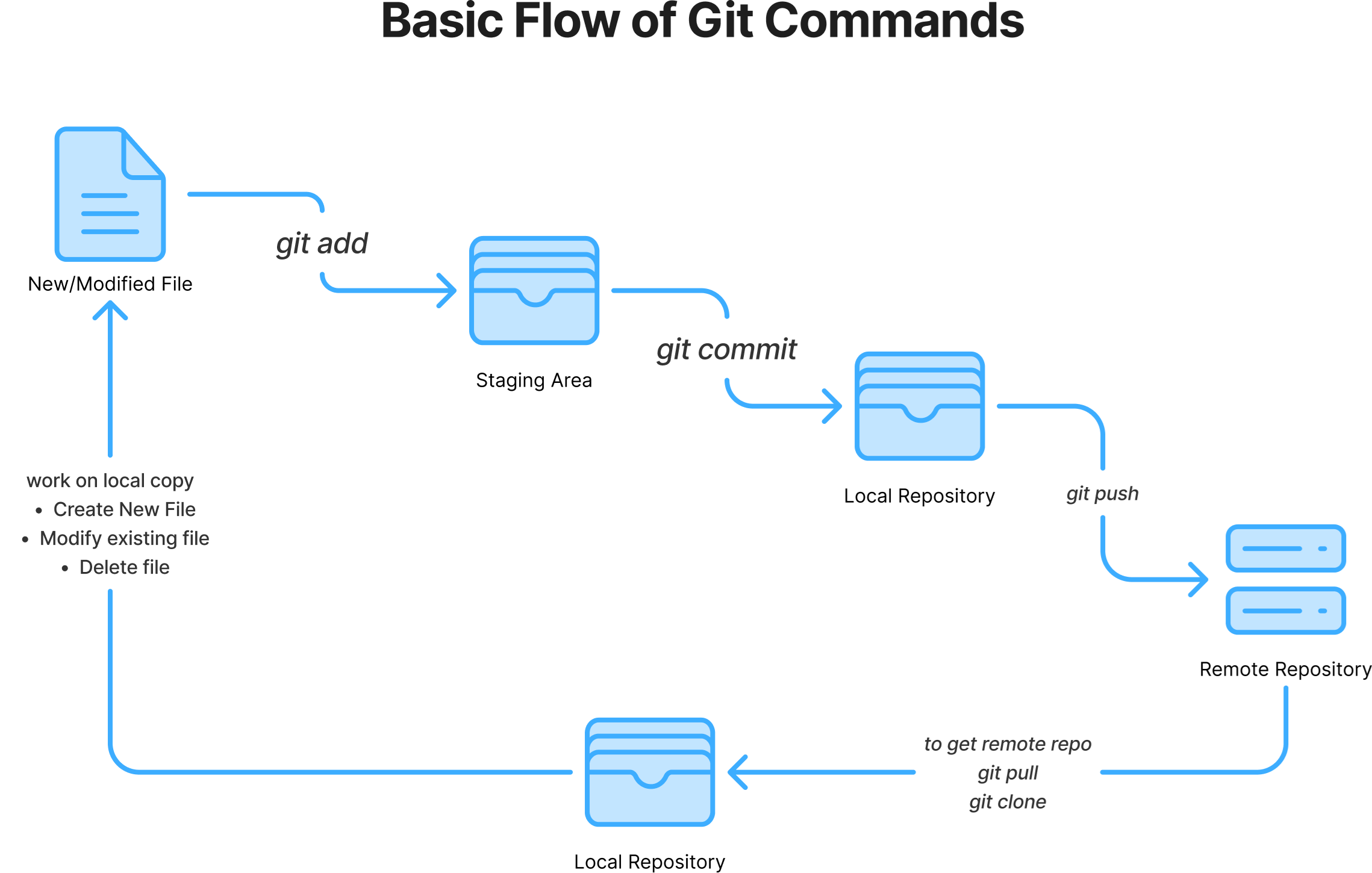
git init: Initializes Git tracking in a local project folder, making it a repository.git status: Shows the current state of the working directory and staging area (which files are modified, staged, or untracked).git add <file>/git add .: Stage specific file changes or all changes in the current directory for the next commit.git commit -m "message": Records the staged changes as a permanent snapshot in the repository with a descriptive message.git log: Displays the history of commits for the current branch.git push: Uploads your local commits to a remote repository.git pull: Fetches changes from a remote repository and merges them into your current local branch.
The commands are listed in the same sequence in which they are used.
Basic Flow of git commands